
Experiment - Separating Architecture From Code
2026-07-10

Highlights
invention of a trivial architectural meta-syntax (DI - Design Intent)
dynamic scoping for text-based languages to eliminate some function parameters
@proc==proc ()procedure call syntax, no arguments, probable side-effectsimages in comments
architecture is for humans, code is for machines
Accompanying Video
Introduction
I think that software architecture is more important than code.
This is an experiment for a simple way to include architectural descriptions in code.
In essence, this is just a psychological trick. I split “comments” into two classes on the basis that a programmer/architect might be more inclined to explain why one is writing code to control a computer vs. how the written code is supposed to accomplish the purpose.
The two classes of comments are:
1. architectural comments
2. code comments
We already have code comments in all programming languages. Code comments tend to be used in an overloaded manner - sometimes they are comments about the architecture and sometimes they are about the code.
We can add architectural comments by layering a meta-syntax over top of existing languages with a layer of meta-code using T2T tools (text-to-text transmogrification: parse the meta-code text, then rewrite it into existing languages, i.e. by treating existing programming languages as “assembler”).
In addition, I think that it is important to present architecture in successive layers. We can do this by using something akin to a markdown syntax. I have chosen (arbitrarily) to use the unicode character “⋅” in the same way that markdown uses ASCII “#”. A top-level architectural comment is prefixed by a single “⋅”. The next most important comment is prefixed by “⋅⋅” (two markers). And so on.
I’ve chosen to use a markdown-like syntax for including images in architectural comments, such as ![punt][200](tpbp-punt.drawio.svg) where the [200]represents the width, on a per-image basis, of the displayed SVG image.
My choices for this architectural comment syntax is arbitrary. Others might wish to change and improve it.
For this experiment, I prompted Claude to create elisp functions to use with my emacs editor.
The resulting display of the meta-code in my editor can be seen in the below screenshots and in the video.
The repository, listed below, contains an elisp/ subdirectory containing the generated elisp code.
The code in the video - test.st - can be transmogrified into Python and Javascript using the PBP toolset (namely T2T). I hope to create a twitch-like video of how I do this. The working transmogrifier code is in a github repository (see appendix).
If it’s not obvious, this is just a beginning, some brainstorming. I hope that it inspires better ideas.
Below is the script for the video.
Script
This is an experiment on separating architecture from code. Comments and suggestions welcome.
In my mind, code is just a building material, system architecture is more interesting than code.
In this video, I’ll just show a simple technique for writing an architectural description and how to browse it in layers.
Then we can look at the code to see how it maps to the Design Intent (DI) of the architect.
I imagine that in the future we might invent several more precise languages to describe architecture with, like the Parts Based Programming (PBP) stuff I describe elsewhere, but, for this video we’ll just use English and some SVG pictures.
[show M-0 code only view of test.st]
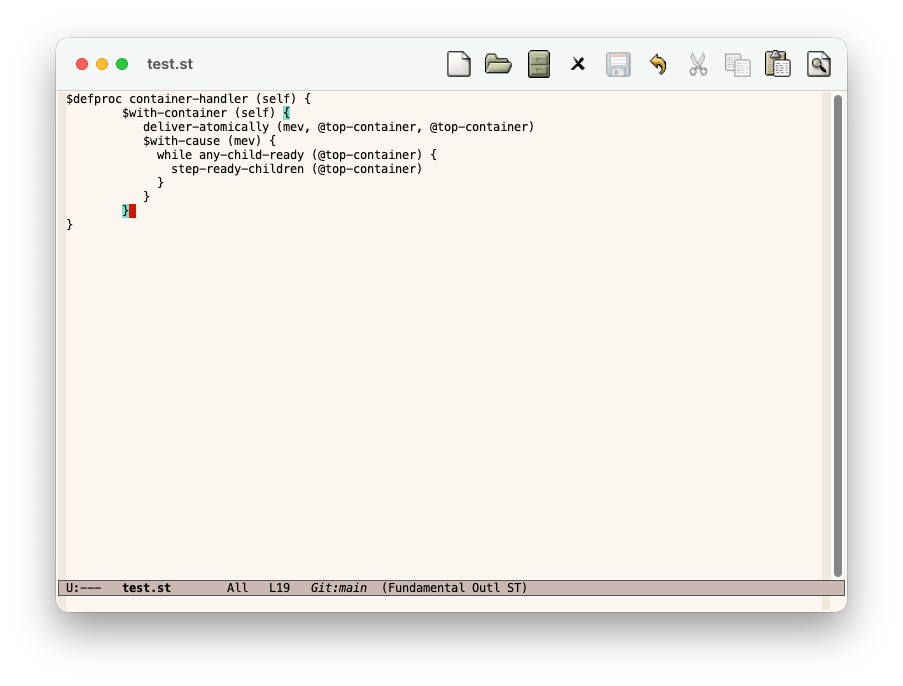
What does this code do?
To figure that out, we have become used to reading the code and reverse-engineering why the architect wrote the code that way.
I’ve been trying to re-create the reference version of the Parts Based Programming (PBP) kernel.
I’m inventing a meta-language on the fly that is intended to emit Python code, and to emit code in other languages like Javascript, Odin, etc. The meta-language is like Python with braces along with a few keywords that begin with $ and @. You don’t need to understand the meta-language at this point. I only want to show how to use layers to describe an architecture by spiralling into it in a layered manner.
I’ve been writing comments in ASCII text to explain what’s going on, and what the meta-code is meant to accomplish, but it would be easier to explain in stages and to use diagrams.
I am drawing SVG diagrams using drawio and I’ve asked Claude to write elisp code to elide code and comments based on key bindings.
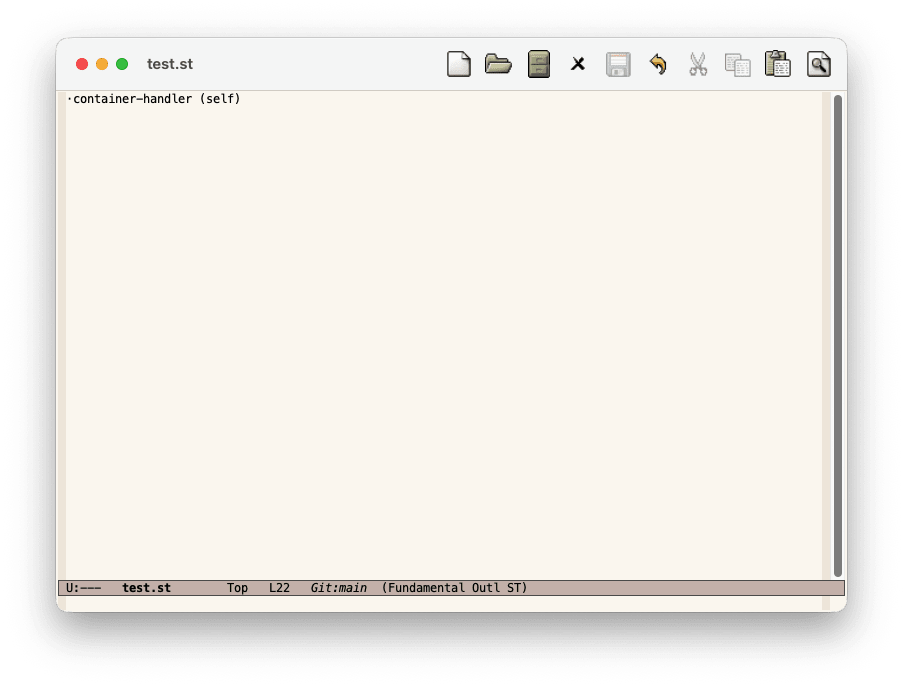
[display M-1 view] Here’s an interim snippet of meta code. The algorithm that I want to describe is calledcontainer-handler. It takes one parameter self that’s defined elsewhere.
[M-2]
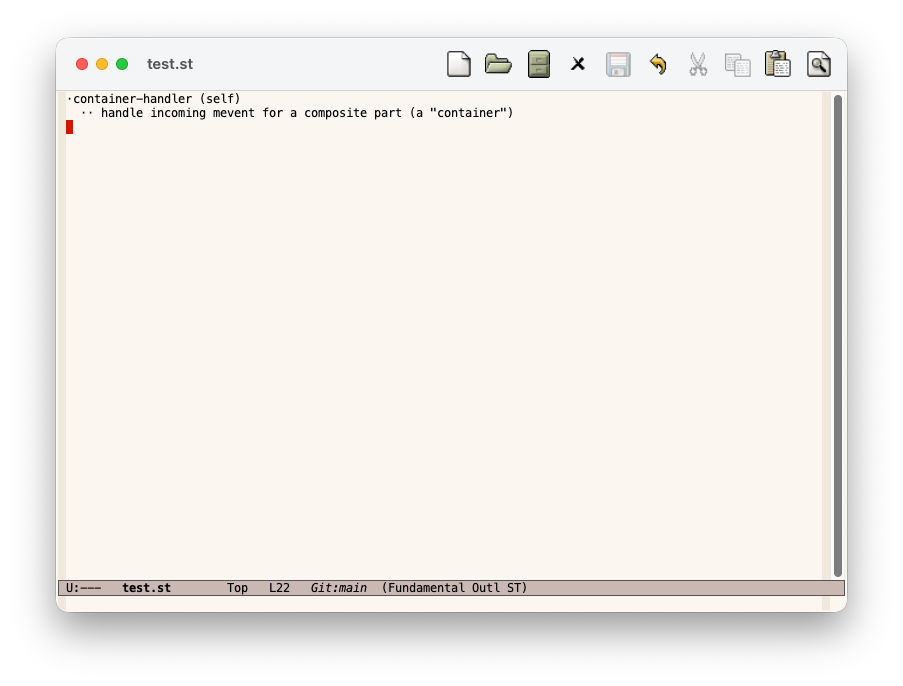
At level 2, we describe the purpose of this function.
We are writing the algorithm for how to handle parts that are composed of other parts.
This is kind of like lisp lists that contain other lists.
[M-3]
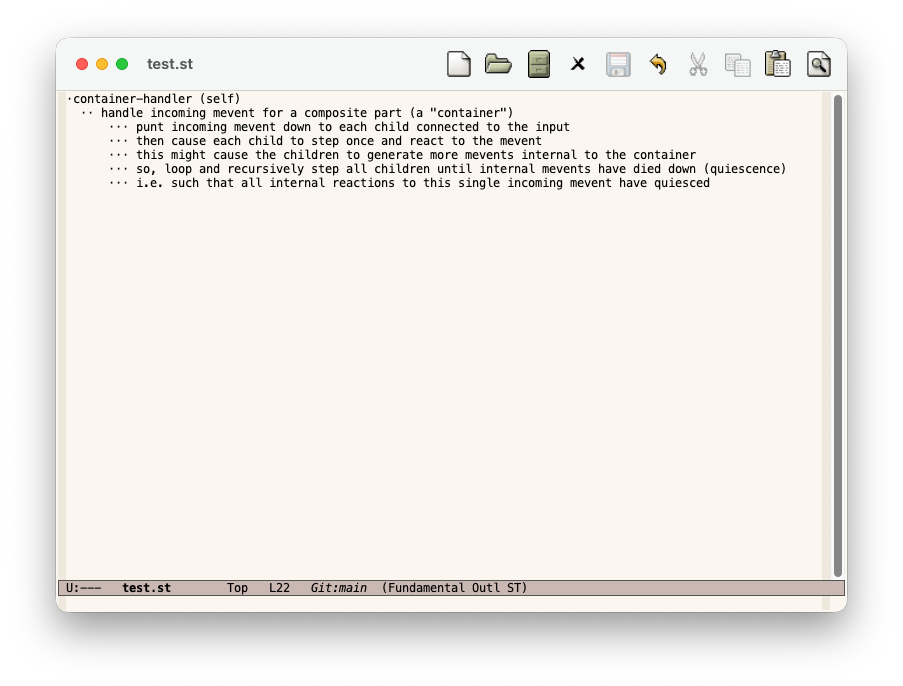
At layer 3, I say more about the algorithm.
First we punt the incoming message down to children parts.
Then, we cycle and step the innards of this container until all internal events have subsided.
I use the word mevent here to mean an event which causes a reaction - a message event.
[M-4]
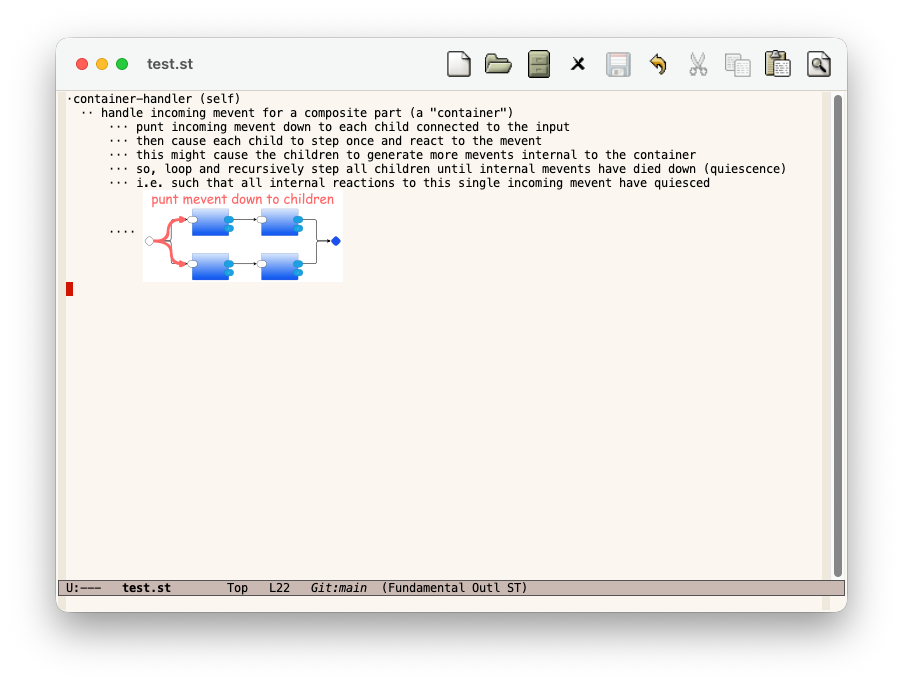
At level 4, I choose to show red arrows for how to punt mevents down to children.
The interesting point here is that one incoming mevent is copied twice and fanned out to two inner children.
I think that the diagram shows what is happening better than words.
[M-5]
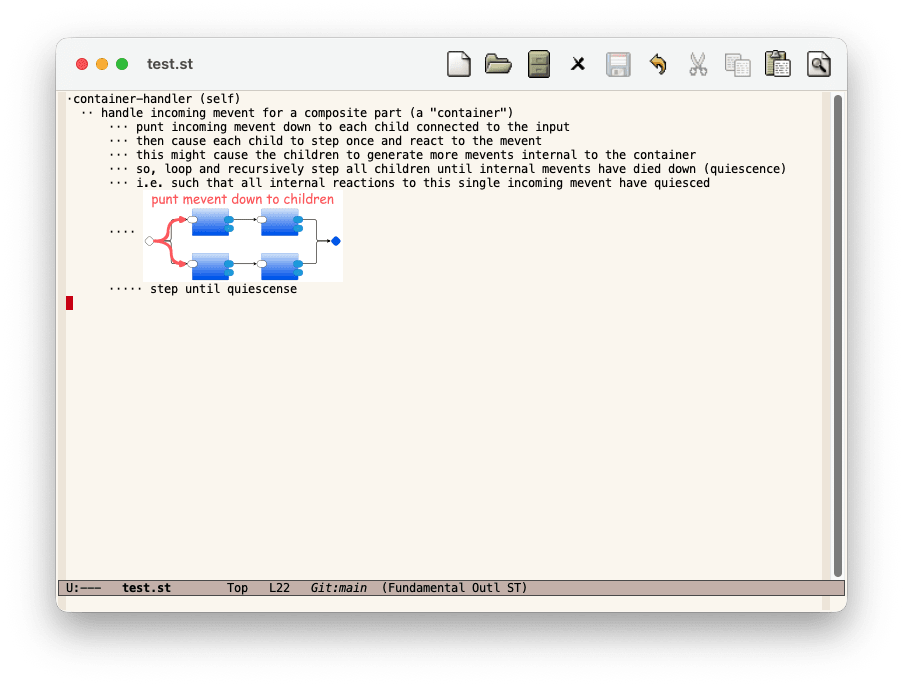
At the next level, I say that the algorithm steps until quiescense
and show what I mean in the next level down
[M-6]
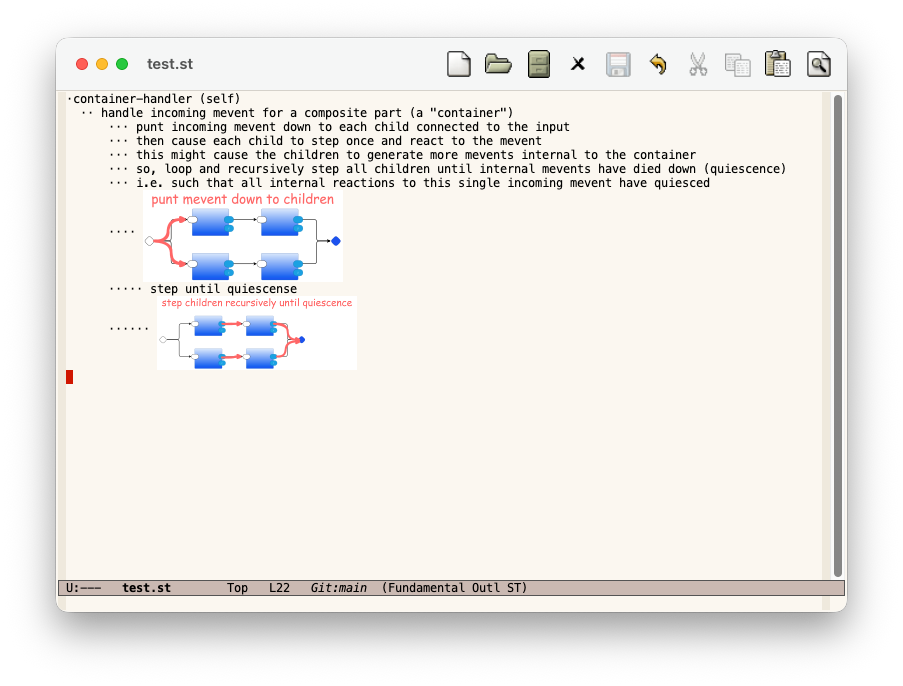
The diagram shows that the incoming mevent caused a reaction from two inner parts which then sent two more mevents which then generated two more mevents which got fanned into the output of the composite part.
Again, the diagram says this better than my words.
[M-0] [M-0]
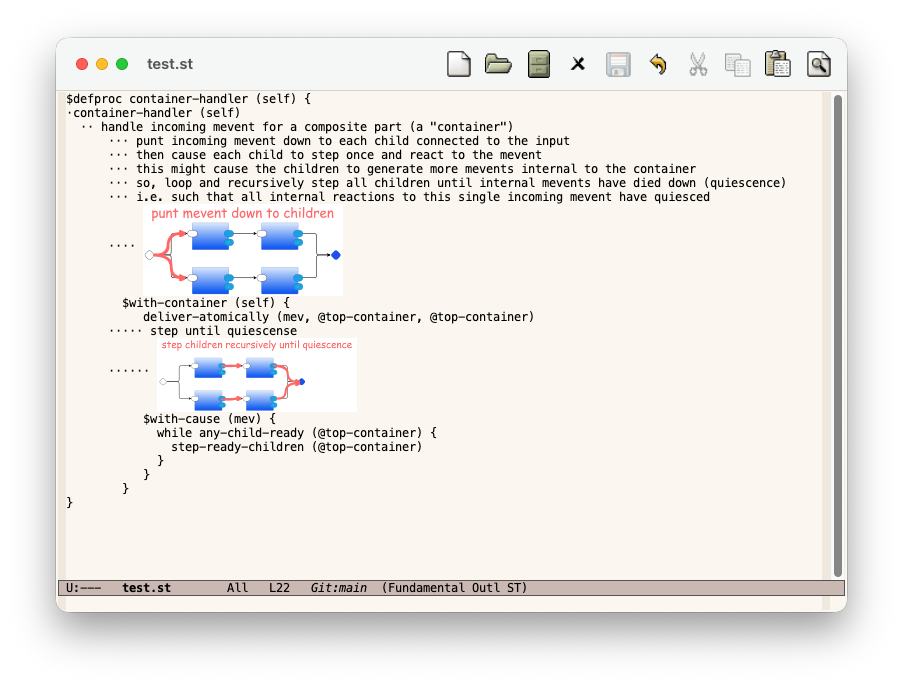
Here, I’ve hit the key to show all architectural comments with code embedded within them.
[M-0]
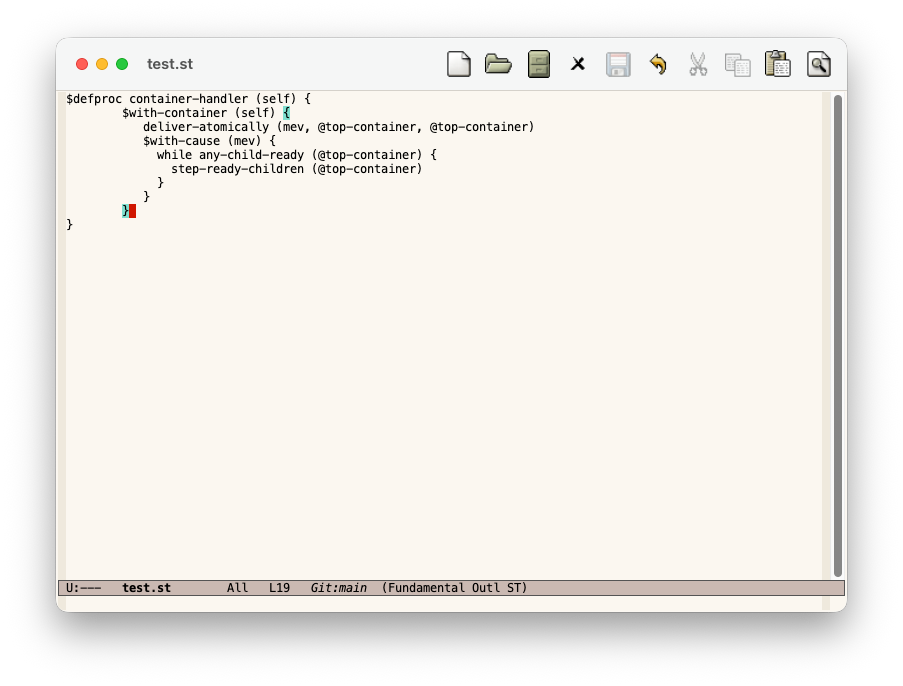
And here, I hit the toggle key to turn off all architectural comments, showing only the code.
We already saw this code at the beginning of this presentation, but now we have a better idea of why the code was written this way.
If I wanted to study the code some more, I could continue to hit hot keys to turn on various architectural layers as needed.
Appendix - Code Repositories
st repository example test.st including code generators to Python and JS (see README.md) tiny pbp repository - WIP (work in progress) re-writing the PBP kernel in.stform
The st-mode elisp code used in this experiment is contained in the elisp/ subdirectory of the st repository. I included the generated elisp code in my init.el, and turn it on with M-x st-mode on a per-buffer basis.
Appendix - References and Further Reading
The Parts Based Programming (PBP) toolset contains T2T as one of the tools: PBP all tools (PBP, T2T, das2json)
The tools are already included in the st repository mentioned above.
Appendix - Dynamic Scoping
The generated code includes boilerplate code for creating several stack data structures - one stack for container objects and a separate stack for cause objects. The point of this example is to demonstrate techniques - you don’t need to understand what containersand causes are, to understand how to use these techniques. These objects are just constructs required for describing the full architecture from which test.st was copied (the “tiny pbp” architecture).
In most modern programming languages, we would use pass-through parameters instead of these stacks, i.e parameters that get passed into functions which only pass the same parameters, unused, through to other functions that get called. Pushing the data onto stacks is like wrapping a dynamic scope (“with-…”) around certain call chains. This stack-based technique can cause bugs in hand-written code, but is a useful and viable approach for use in generated code.
The “with-…” syntax and dynamic scoping is borrowed from the Lisp world and can be applied to newly-invented meta-syntaxes such as the st syntax shown in this example.
Appendix - Emacs Key Bindings
M-1 (meta-1) - display only lines that begin with a single unicode character “⋅”, hide all other lines M-2 - display lines that begin with one or two “⋅” M-3 - display lines that begin with one, two or three “⋅” M-4 - display lines that begin with one, two, three or four “⋅” M-5 - display lines that begin with one, two, three, four or five “⋅” M-6 - display lines that begin with one, two, three, four, five or six “⋅” M-0 - toggle between showing all lines and between showing only lines that are not prefixed by any “⋅”, i.e. show everything or show only the code
The elisp code, generated by Claude, inserted into my init.el
; this is code that I pasted into my ~/.emacs.d/init.el to install st-mode

;;; elision for .st files - invoke explicitly with M-x my-dsl-outline-mode
;;; -*- lexical-binding: t; -*-

(defvar st-al-char "⋅"
  "Character marking an architectural line (AL).")

(defvar st-default-image-width 400)

(defun st--line-al-level ()
  "AL level of the current line: count of leading ⋅ after whitespace, 0 if none."
  (save-excursion
    (beginning-of-line)
    (skip-chars-forward " \t")
    (let ((start (point)))
      (skip-chars-forward st-al-char)
      (- (point) start))))

;; --- images ---

(defun st-remove-images ()
  (interactive)
  (remove-overlays (point-min) (point-max) 'st-image t))

(defun st-display-images ()
  "Render ![alt][width](path) links as inline images."
  (interactive)
  (st-remove-images)
  (save-excursion
    (goto-char (point-min))
    (while (re-search-forward
            "!\\[\\([^]]*\\)\\]\\(?:\\[\\([0-9]+\\)\\]\\)?(\\([^)]+\\))"
            nil t)
      (let* ((width (if (match-string 2)
                         (string-to-number (match-string 2))
                       st-default-image-width))
             (path (match-string 3))
             (full-path (expand-file-name
                         path (file-name-directory (or buffer-file-name default-directory))))
             (beg (match-beginning 0))
             (end (match-end 0)))
        (when (and (file-exists-p full-path)
                   (image-type-available-p 'svg))
          (let* ((img (create-image full-path 'svg nil :max-width width))
                 (ov (make-overlay beg end)))
            (image-flush img)
            (overlay-put ov 'st-image t)
            (overlay-put ov 'display img)))))))

;; --- level-based line visibility (M-1..M-9, M-0) ---

(defvar st-level-invisible-symbol 'st-level-hidden)
(defvar-local st--non-al-only nil)

(defun st--hide-region (beg end)
  (let ((ov (make-overlay beg end)))
    (overlay-put ov 'st-level-overlay t)
    (overlay-put ov 'invisible st-level-invisible-symbol)))

(defun st-clear-level-overlays ()
  (remove-overlays (point-min) (point-max) 'st-level-overlay t))

(defun st-show-level (n)
  "Show only AL lines with level 1..N; hide deeper AL lines and all non-AL lines."
  (setq st--non-al-only nil)
  (add-to-invisibility-spec st-level-invisible-symbol)
  (st-clear-level-overlays)
  (save-excursion
    (goto-char (point-min))
    (while (not (eobp))
      (let ((level (st--line-al-level)))
        (unless (and (> level 0) (<= level n))
          (st--hide-region (line-beginning-position)
                            (min (point-max) (1+ (line-end-position))))))
      (forward-line 1))))

(defun st-show-everything ()
  (remove-from-invisibility-spec st-level-invisible-symbol)
  (st-clear-level-overlays))

(defun st-show-only-non-al ()
  (add-to-invisibility-spec st-level-invisible-symbol)
  (st-clear-level-overlays)
  (save-excursion
    (goto-char (point-min))
    (while (not (eobp))
      (when (> (st--line-al-level) 0)
        (st--hide-region (line-beginning-position)
                          (min (point-max) (1+ (line-end-position)))))
      (forward-line 1))))

(defun st-toggle-non-al ()
  "M-0: toggle between showing everything and showing only non-AL lines."
  (interactive)
  (if st--non-al-only
      (progn (st-show-everything) (setq st--non-al-only nil))
    (st-show-only-non-al)
    (setq st--non-al-only t)))

;; --- keymap & mode ---

(dotimes (i 9)
  (let ((n (1+ i)))
    (eval
     `(defun ,(intern (format "st-show-level-%d" n)) ()
        ,(format "Show only AL lines with level <= %d." n)
        (interactive)
        (st-show-level ,n)))))

(defvar st-mode-map
  (let ((map (make-sparse-keymap)))
    (dotimes (i 9)
      (let ((n (1+ i)))
        (define-key map (kbd (format "M-%d" n))
          (intern (format "st-show-level-%d" n)))))
    (define-key map (kbd "M-0") #'st-toggle-non-al)
    map)
  "Keymap for `st-mode'.")

(define-minor-mode st-mode
  "Minor mode for architecturally-annotated code with leveled folding."
  :lighter " ST"
  :keymap st-mode-map
  (when st-mode
    (setq-local outline-regexp (concat "[ \t]*" (regexp-quote st-al-char) "+"))
    (setq-local outline-level #'st--line-al-level)
    (outline-minor-mode 1)
    (st-display-images)))
See Also
Email: ptcomputingsimplicity@gmail.com
Substack: paultarvydas.s. bstack.com
Videos: https://www. youtube.com/@programmingsimplicity2980
Discord: https://discord.gg/65YZUh6J. q
Leanpub: https:. /leanpub.com/u/paul-tarvydas
Twitter: @paul_tarvydas
Bluesky: @paultarvydas.bsky.social
Mastodon: @paultarvydas
(earlier) Blog: guitarvydas.github.io
References: https://guitarvydas.github.io/2024/01/06/References.html
Paid subscriptions are a voluntary way to support this work.